
Appearance
ArtNet & DMX Output
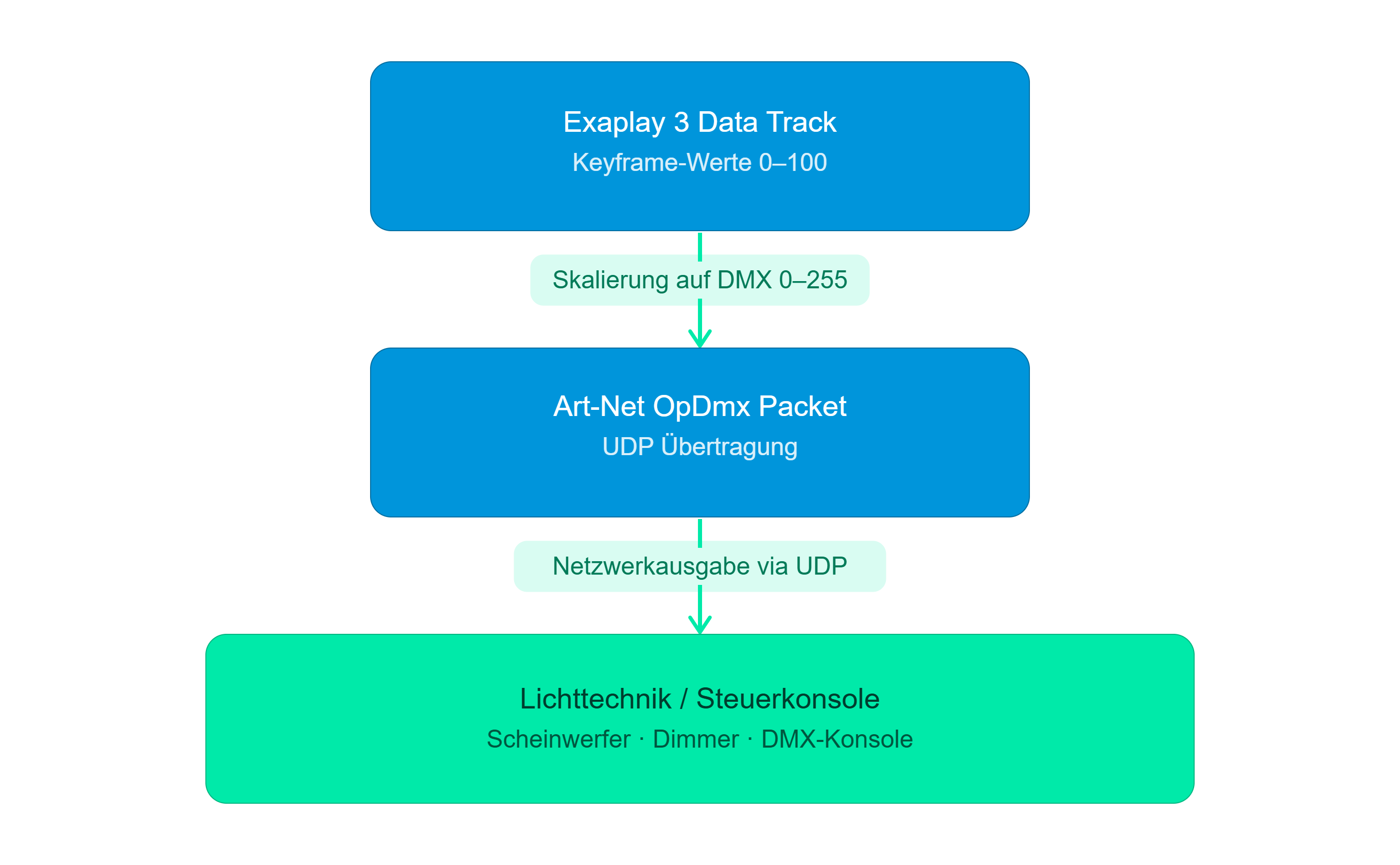
Exaplay 3 can transmit DMX512 lighting values over the Art-Net protocol, enabling direct control of lighting fixtures, dimmers, moving lights, and other DMX devices — driven by timeline-animated Data Tracks.
Overview
Art-Net is an Ethernet-based protocol that encapsulates DMX512 (the industry-standard lighting control protocol). Any Art-Net-capable lighting console, fixture, or media server on the same network can receive values from Exaplay.
Prerequisites
- A network connection between the Exaplay machine and the Art-Net device
- The Art-Net device configured to receive on the correct universe
- Both devices on the same subnet (or a network that passes Art-Net UDP broadcasts)
Setting Up a Data Track with ArtNet Output
Step 1 — Create the Data Track
- In the Sub-header, switch to the Data panel.
- Click + Data Track.
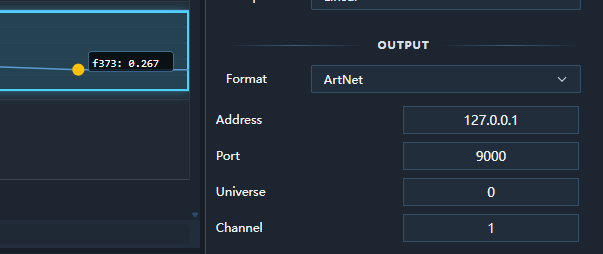
- Set Output Type to
ArtNet.
Step 2 — Configure ArtNet
| Field | Description | Valid range |
|---|---|---|
| Universe | Art-Net universe number | 0–32767 |
| Channel | DMX channel within the universe | 1–512 |
| Destination IP | Target Art-Net device IP (or 255.255.255.255 for broadcast) | Any IPv4 |
Tip: Most lighting fixtures start on Universe 0. Check your fixture's DMX address map.
Step 3 — Add Keyframes
Set keyframe values between the track's Min and Max range. Exaplay automatically scales:
Track value 0.0  →  DMX 0    (off)
Track value 0.5  →  DMX 127  (50 %)
Track value 1.0 → DMX 255 (full)Step 4 — Play
Press Play. Exaplay calculates the interpolated track value for each frame and transmits an Art-Net OpDmx packet to the configured destination.
Art-Net Packet Format
Exaplay sends standard Art-Net 4 OpDmx packets:
Bytes  0–7   "Art-Net\0"  (8 bytes, ASCII + null)
Bytes  8–9   OpCode 0x5000  (OpDmx, little-endian)
Bytes 10–11  Protocol version 14  (big-endian)
Byte   12    Sequence number
Byte   13    Physical port
Bytes 14–15  Universe (little-endian)
Bytes 16–17  DMX data length (big-endian, must be even)
Bytes 18+ DMX data (up to 512 bytes)Multi-Universe and Multi-Channel
You can have multiple Data Tracks, each targeting a different universe/channel combination. All tracks run simultaneously:
Data Track "Dimmer 1"    → Universe 0, Channel 1
Data Track "Red"         → Universe 0, Channel 2
Data Track "Green"       → Universe 0, Channel 3
Data Track "Blue"        → Universe 0, Channel 4
Data Track "Moving Head" → Universe 1, Channel 1Broadcast vs Unicast
| Mode | Destination IP | Use when |
|---|---|---|
| Broadcast | 255.255.255.255 | Quick setup; all Art-Net devices on the subnet receive the packet |
| Unicast | Specific IP (e.g. 192.168.1.50) | Reduces network load; targets one specific device |
For shows with many DMX universes, use unicast to avoid flooding the network.
Value Clamping
Values outside the track's Min–Max range are clamped before scaling:
- A value below Min is treated as Min (DMX 0)
- A value above Max is treated as Max (DMX 255)
Combining with OSC and UDP
A single Data Track outputs to one protocol. To drive both a lighting console via Art-Net and a media server via OSC with the same keyframe animation:
- Create two Data Tracks with identical keyframes.
- Set one to
ArtNetoutput and one toOSCoutput. - Both transmit in sync during playback.
Troubleshooting
| Problem | Solution |
|---|---|
| Fixture does not respond | Verify universe and channel match the fixture's DMX address |
| Intermittent control | Switch from broadcast to unicast; reduce network congestion |
| Values too high/low | Check Min/Max track range vs expected DMX scaling |
| No packets transmitted | Confirm the Data Track is on a playing composition; verify destination IP is reachable |