
Appearance
Visual Effects
Exaplay 3 includes a set of live effects for colour, luminance, and creative image processing — all run on the GPU so they can be adjusted while you preview the result.
Available Effects
Color Keying
Remove a specific colour from a layer (e.g. green screen).
| Parameter | Description |
|---|---|
keyColor | RGB colour to remove (hex or picker) |
tolerance | How closely a pixel must match the key colour (0–1) |
edgeSoftness | Blend at the edges of the keyed region (0–1) |
Luminance Adjustment
Non-destructive brightness, contrast, and gamma correction.
| Parameter | Range | Default |
|---|---|---|
brightness | -1.0 to 1.0 | 0.0 |
contrast | -1.0 to 1.0 | 0.0 |
gamma | 0.1 to 4.0 | 1.0 |
Advanced Effect Controls
Some effects expose additional parameters for dome, chromatic, or custom looks that can be adjusted live while you preview the result.
Applying Effects
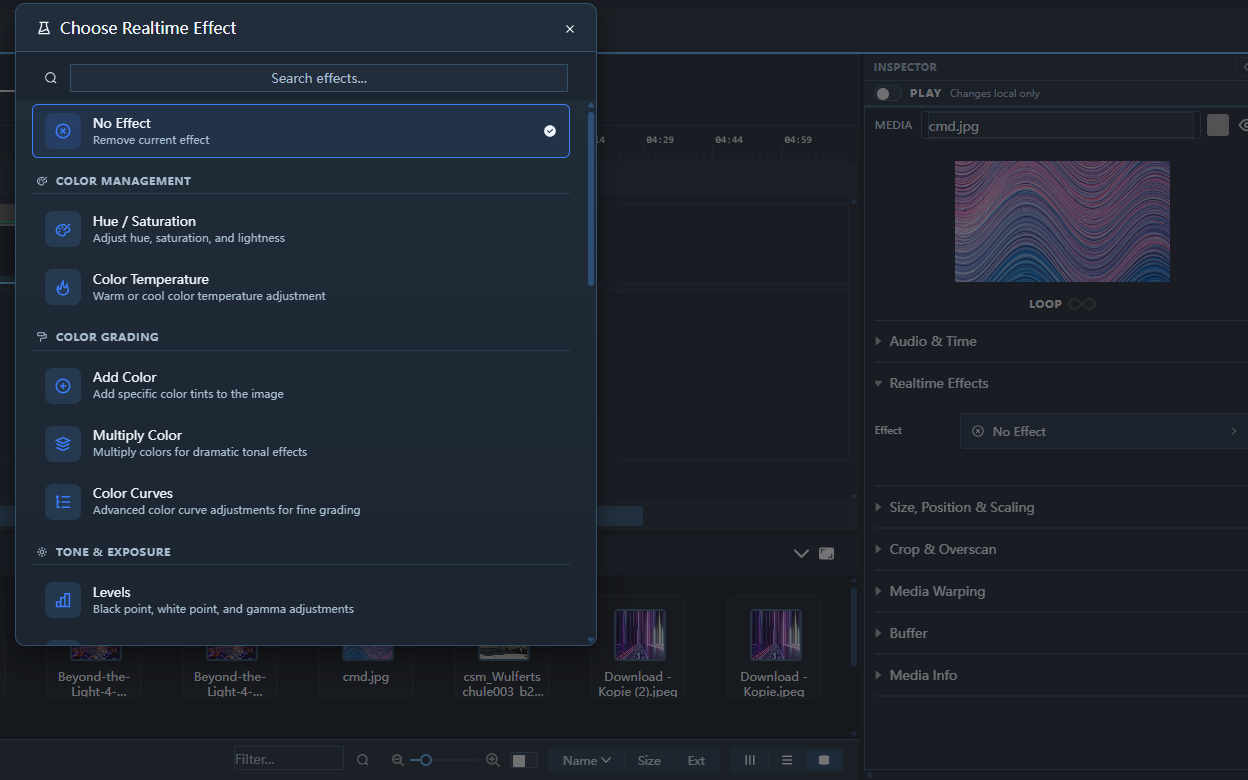
Via the Inspector
- Select a clip in the Timeline.
- In the Inspector, scroll to the Effects section.
- Click + Effect and choose an effect type.
- Adjust the parameters using the sliders.
Effect Performance
Effects run on the GPU and add negligible overhead. Multiple effects can be stacked on a single clip without affecting playback.
Removing Effects
- Select the effect in the Inspector and click the × Remove button.